
Prince of Persia The Lost Crown Complete Edition Hypervisor MULTi14-ElAmigos
Title: Prince of Persia The Lost Crown Complete Edition Hypervisor MULTi14-ElAmigos
Genre: Action, Adventure, Arcade, Platformer
Developer: Ubisoft Montpellier
Publisher: Ubisoft Entertainment
Release Date: 18 Jan, 2024
Languages: English, French, Italian, German, Spanish, Etc …
File Size: 22.80 GB / Split 5 parts 4.95 GB Compressed
Mirrors: Datanodes, Fileq, Google Drive, Mediafire, Megaup, Torrent
Free Download Prince of Persia: The Lost Crown Complete Edition Hypervisor Repack PC Game – Dash into a stylish and thrilling action-adventure platformer set in a mythological Persian world where the boundaries of time and …
DESCRIPTION
UNLEASH YOUR INNER WARRIOR
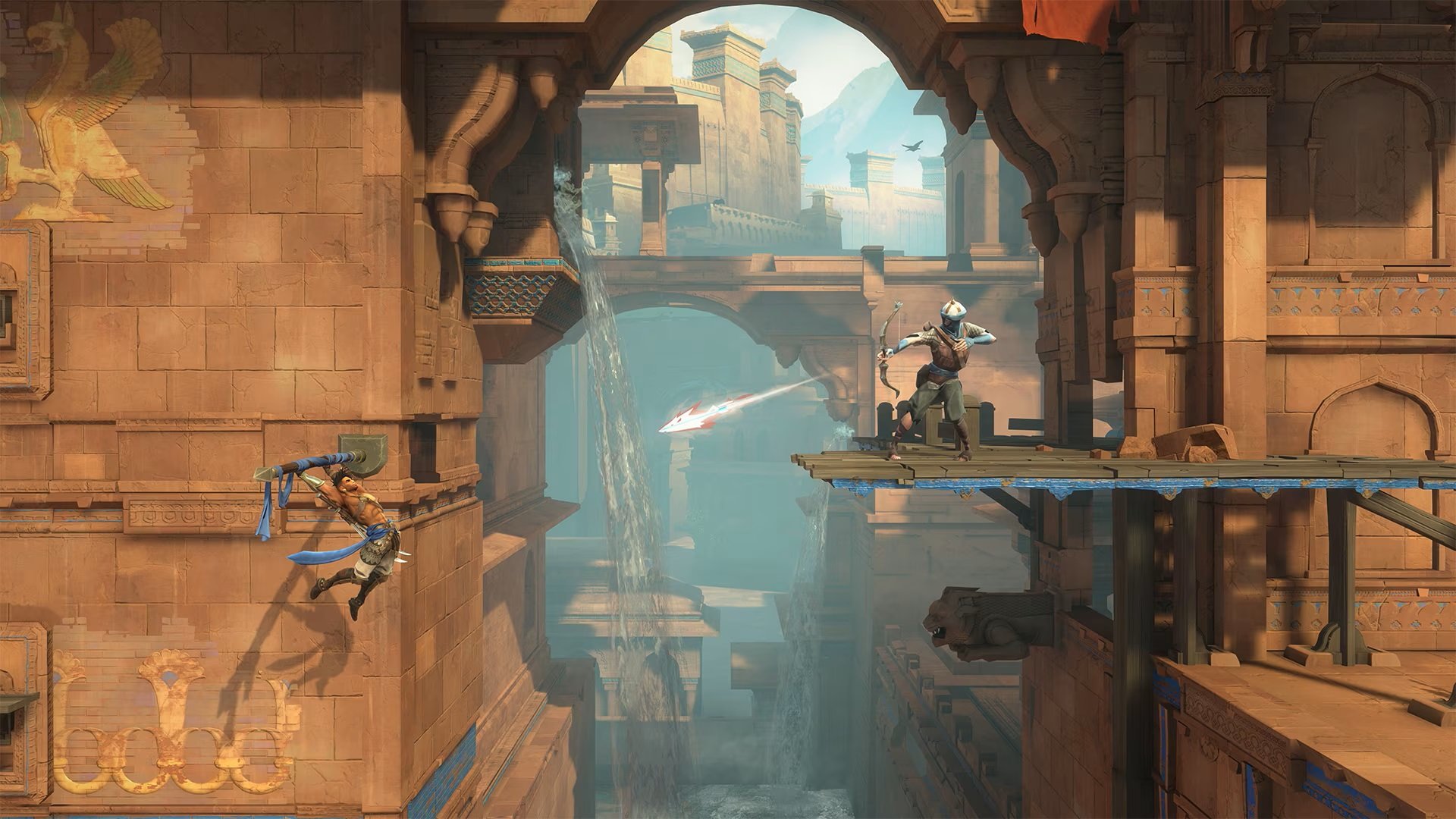
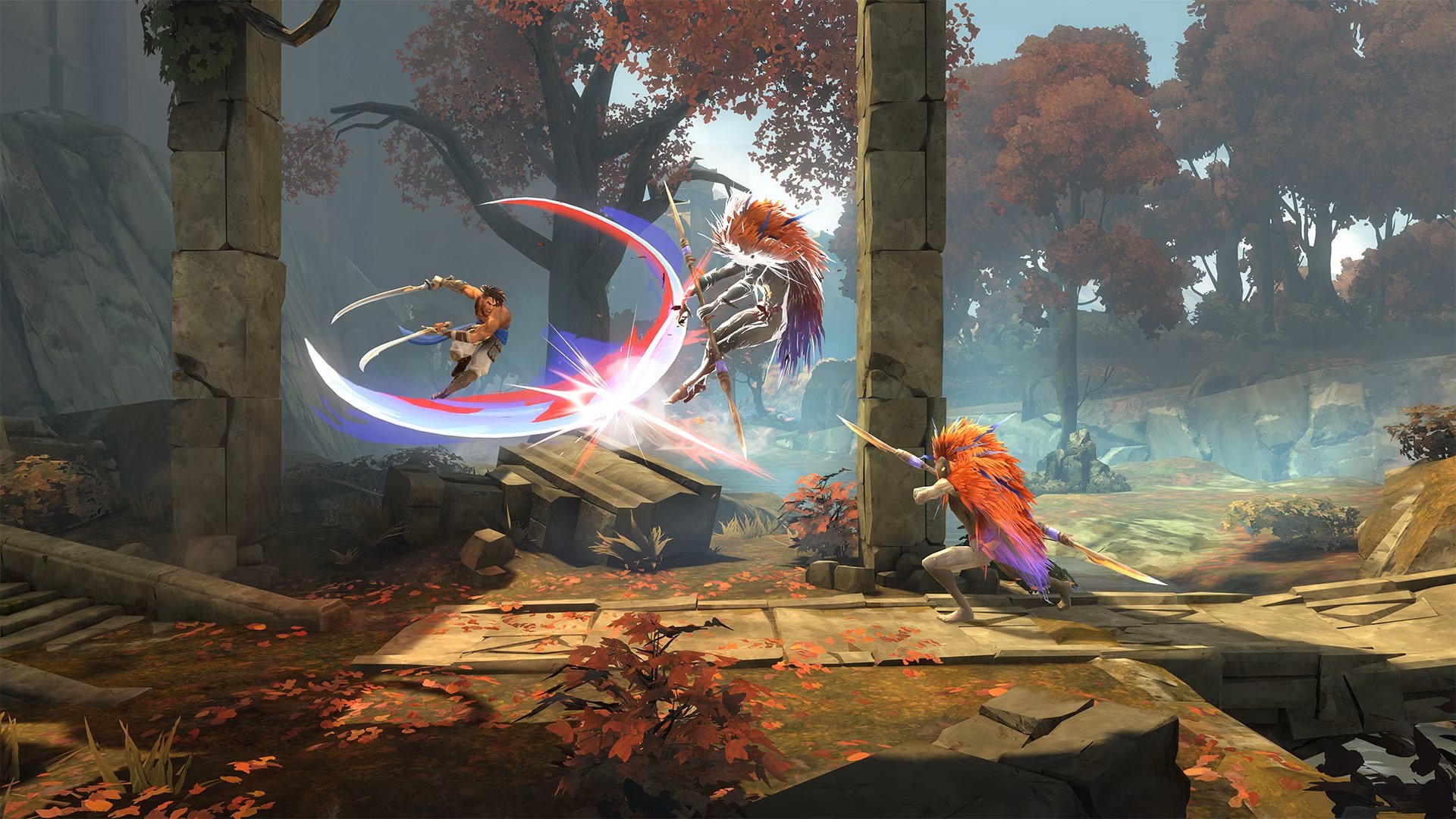
Use your Time Powers, combat, and platforming skills to perform deadly combos and defeat time-corrupted enemies and mythological creatures.
LOSE YOURSELF IN THE PRODIGIOUS MOUNT QAF
Discover a cursed Persian-inspired world filled with larger-than-life landmarks and explore a variety of highly detailed biomes, each with their own identity, wonder, and danger.
LIVE AN EPIC ADVENTURE
Immerse yourself in a Persian mythological fantasy through an intriguing and original story as you use your wits to solve puzzles, find hidden treasures, and complete quests to learn more about this corrupted place.
SCREENSHOT


SYSTEM REQUIREMENTS
• Operating System: Windows 7/8/8.1/10 (x64)
• Processor: at least 4-cores i5
• RAM: 8 GB
• Video Card: Nvidia GeForce 970
• DirectX: 11
• HDD Space: 16.6 GB
LINK DOWNLOAD
• Rar password: www.ovagames.com
• Mirrors marked with “•” are unavailable in some countries
• Whitelist or disable vpn / proxy / adblock to avoid error 404
• For any other questions, please read FAQ page
INSTALL NOTE
2. Burn or mount the .iso
3. Install game
4. Educate yourself first by reading _Info.txt and DenuvOwO.nfo; CPU virtualization must be enabled in BIOS (some motherboards have it enabled as default setting)
5. Start “b1\Binaries\Win64\VBS.cmd” from game folder, press 1, restart computer, then on the next boot press F7 when new window will show up (driver signature OFF)
6. Start from desktop icon
Full List of Supported Languages:
English, French, Italian, German, Spanish, Polish, Russian, Portuguese-Brazil, Arabic, Japanese, Korean, Chinese Traditional, Simplified Chinese, Persian
Release Notes:
ElAmigos release. Updated to version 1.4.3 (10.03.2026); included DLC: Complete Upgrade Pack, Mask of Darkness, Two Thrones Skin, Dark Prince Skin.
Release is using Hypervisor bypass by DenuvOwO team.
Once you make it work, any other game with Hypervisor can be installed and played from desktop icon (as long as you don’t restart/shutdown PC – then again VBS.cmd > 1 > reboot > F7 > desktop icon).
14 Responses to “Prince of Persia The Lost Crown Complete Edition Hypervisor MULTi14-ElAmigos”
Leave a Reply

exclusive games


can someone help me up? it said that denuvo tried to delete license files. how do I fix it?
brother either purchase original or wait for a proper crack, don’t play this hypervisor crack, it will surely harm your pc and give hackers a clean open door to get into your pc, so just refrain using such cracks.
I FULLY agree with IGNORE HYPERVISOR CRACKS. Homie ain’t playin’ with that.
or you just play this with Switch emulator, much better
I searched a bit about hypervisor crack, got to know that there are 2 bypass, first is vbs one and other is dse.
vbs: reverts back to normal after a reboot, makes a virtual layer between game and lower level, considered safe, just turn of internet connection.
dse: this is also temporary just like vbs, but doesnt need reboot, slightly unstable as it tends to get normal automatically, which causes bsod also it used a old msi afterburner driver, that driver has a open door, which this method use to fake signal, so yeah it is slightly more unsafe, just turn of internet.
both are slightly risk
vbs: long method, looks risky (but not that much), stable.
dse: short methods, looks safe (but slightly risky), unstable.
everyone say that this is unsafe and hackers can get to your PC but I’m really curious but if there’s nothing in your PC and you’re just using it for games? like no important email or things like that,just games
Try “hypervisor-launch.exe” run as administrator. It is work for me.
Baycott Hypervisor games
low iq comment
Ryujinx/Eden version is better
THANK YOU OVA! YOU ARE THE BEST <3 <3 <3 Faster than FitGirl herself ;)
hoping that the devs of these games thats been crack by hypervisor would just remove their denuvo..like why would they keep paying drm subscription when theres already free version of their game floating around the internet..
this is how i made denuvo games runs smoothly on my pc base on elamigos repack
* make sure cpu virtualization is enabled on your system (if you don’t know googling for it)
1.install game
1.go to game installation folder and run VBS.cmd as administrator
2.press 1 > enter > your windows will restart
3.on the next boot you will see blue screen option just click F7 to disable DSE (it will automated restart windows again)
4.after that run the game as administrator
QNA:
– is hv safe?
yes as long you don’t connect to internet and open po*n site while in this mode
– how to restore my system to normal after playing the game?
run VBS.cmd again > press 3 > enter > it will revert the changes and windows will restart back with default security settings
thanks me later *CHEERS*
It is nice to see this comments.. I’ll try it later